Documentation / How-to guides
Start a workflow from outside the application
Start a workflow from a public webhook or on a schedule.
Applies to Glyphox 1.0.10
Step 1: Add a trigger
In the workflow editor, open Triggers and select Public URL. This creates an endpoint that external systems can call, such as a web form, a partner system or a provider callback. Schedule adds a schedule in the same menu.
Enter the last part of the trigger's path. The menu then shows the trigger's full address on the running application, with a button that copies it.
The request body is passed to the workflow as its inputs, or you can map fields to named parameters with expressions.
Step 2: Call it
$ curl -X POST http://localhost:13000/service-desk/api/triggers/escalate \
    -H 'content-type: application/json' \
    -d '{ "ticketId": 1 }'

→ 202 { "instanceId": "…", "status": "…" }Step 3: Protect a sensitive trigger
The sample's escalate trigger requires no secret. For a sensitive trigger, select Require shared secret. The caller then sends the secret in the X-Trigger-Secret header.
The secret is listed in Module Settings → Secrets, where you set its value for runs on this computer. For a deployment, enter it under Solution Settings → Environments → Sealed secrets.
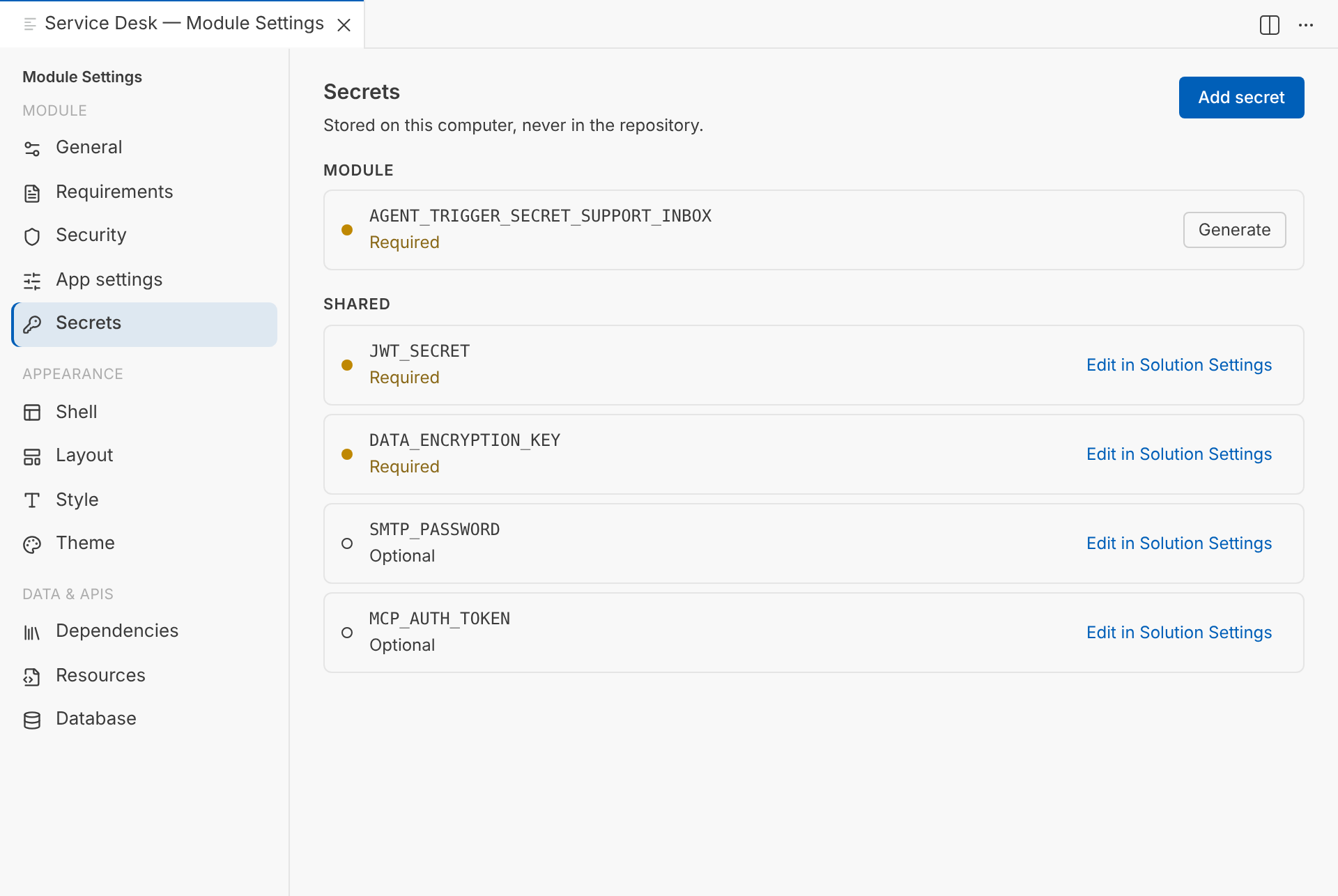
A trigger whose secret is not configured on the server returns 503 and does not run.
Schedules
Schedules use standard five-field cron expressions in the server's time zone. Runs missed while the server was unavailable are not replayed. Each run is recorded in the database, so restarts and multiple replicas do not create duplicate instances.
Related articles
The Workflow overview, under Reference, describes every way a workflow starts, including a call from the application and a data event.
If a step fails, see Troubleshoot the first run or contact support.