Documentation / How-to guides
Add an identity provider
Declare the provider in Module Settings and configure it in the Console at runtime.
Applies to Glyphox 1.0.10
Step 1: Add the provider to the model
Open Module Settings → Security. Under Sign-in methods, select Add a provider and select the provider: Microsoft Entra ID, Google, Okta, Auth0, Keycloak, Amazon Cognito, PingOne, OneLogin, GitHub or any OpenID Connect issuer.
The choice of providers is part of the model, so it is reviewed in the diff.
Step 2: Configure it in the Console
Run the application and sign in to the Console as the platform administrator. Under Security → Identity provider, set the tenant, client ID and client secret.
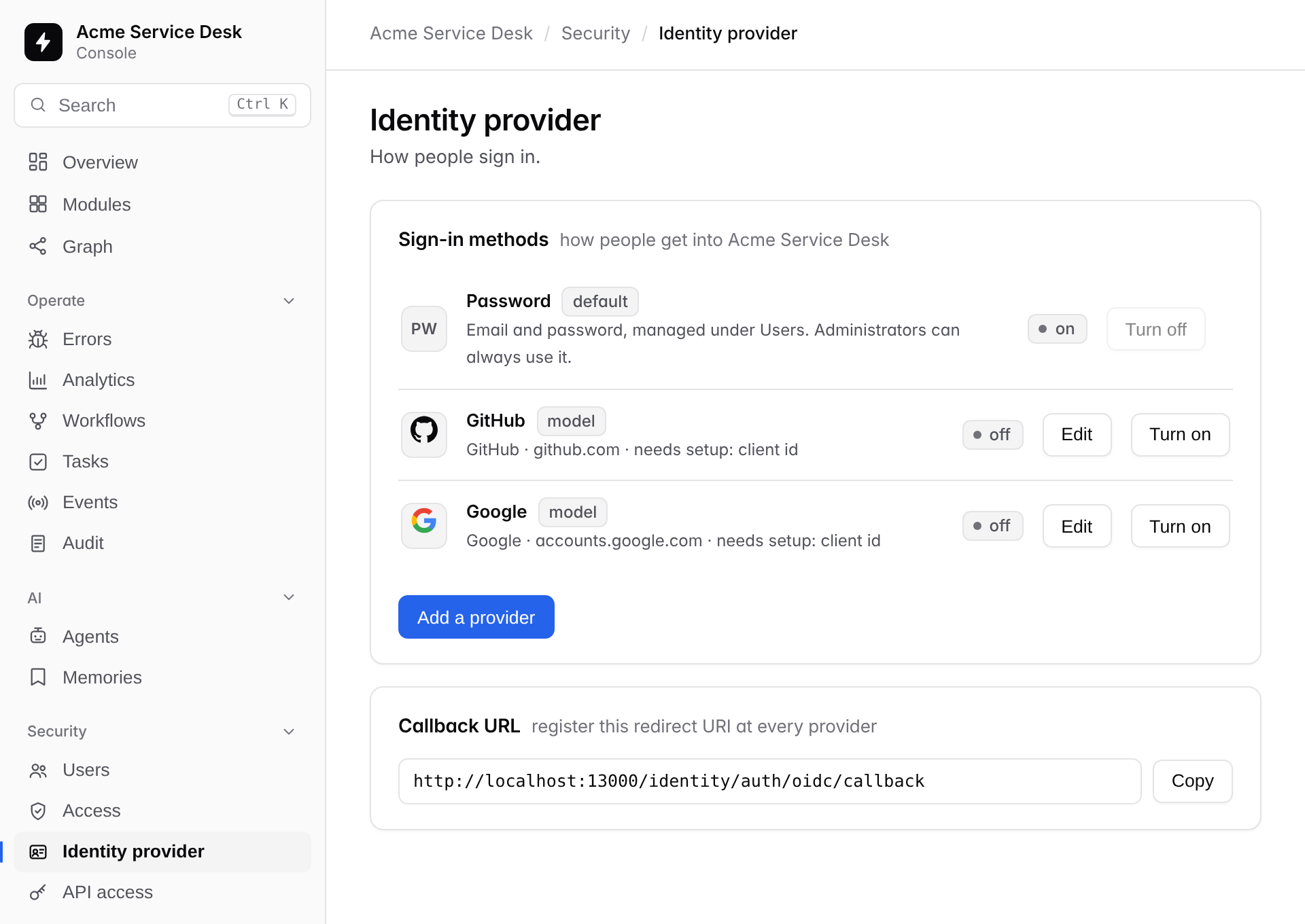
These values are never stored in your repository, so a secret can be rotated without a deployment.
Roles
Roles are part of the model and are edited in Module Settings → Security. Role membership is managed at runtime in the Console, because it changes more often than the application.
If a step fails, see Troubleshoot the first run or contact support.