Documentation / Reference
Modules and libraries
Divide a solution into modules, connect them with references, and share components and logic through library modules.
Applies to Glyphox 1.0.10
A solution is a set of modules. A module is the unit you develop and deploy: every module except a library is exported as its own service, and the solution adds one gateway, one identity service and one Console for all of them.
Module types
Run Glyphox: New Module and select a type.
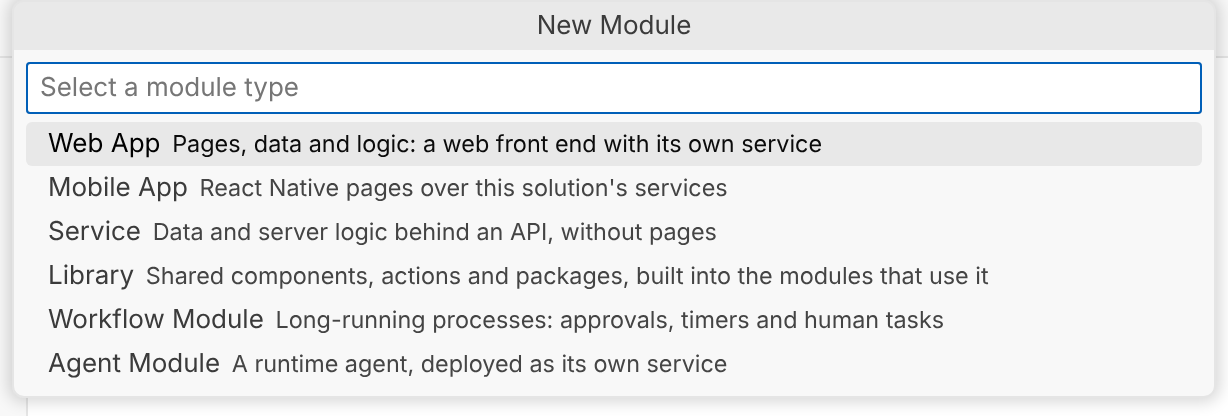
| Type | What it holds |
|---|---|
| Web App | Pages, data and logic: a web front end with its own service. |
| Mobile App | React Native pages over the solution's services. |
| Service | Data and server logic behind an API, without pages. |
| Library | Shared components, functions and packages, built into the modules that use it. |
| Workflow Module | Long-running processes that span several domains: approvals, timers and human tasks. |
| Agent Module | A runtime agent, deployed as its own service. |
A module cannot take a name whose address the application reserves for itself: Console, Portal, Identity, Health or API Docs, and API for a web module. New Module refuses such a name, and the Problems view reports a module that already has one, with the instruction to rename it. A library is never served at an address, so it may take any of these names.
When to add a module
- Give each domain with its own tables and rules a service module, and keep a web module thin over the services it references.
- Place a new domain in a new module with a reference, not in a module that already owns a domain.
- Add a second web module for a different audience, with its own front door, sign-in and menu, such as a back office for staff beside a customer portal. A role is not an audience: a manager and a clerk of the same staff use one application, and roles decide what each may open.
- Do not add a module for one table or one page. A module's boundary is a domain, not a table.
In Manual mode, the Assistant proposes the modules in its design and waits for your approval before it builds them. In Auto mode, it approves the design itself and records that it did.
References
A module uses another module through a reference. Run Glyphox: Add Reference, or open Module Settings → Dependencies. A reference gives the module what the other module makes public.
The Solution tree shows public beside each table, action and component that a module offers to the modules that reference it.
Two modules cannot reference each other, because a loop would make them one deployment, so a module that would close a loop is never offered. For two modules to react to each other, one publishes an event, which needs no reference.
The Dependencies pane
Module Settings → Dependencies, also opened by Glyphox: Open Dependencies, lists the module's references first, each with what it publishes and where it is used. Show uses lists the assets that use it, Refresh takes in changes to what the other module makes public, and Remove names every use before the reference is removed. A reference cannot be removed while a relationship uses one of its tables, and the message names each relationship.
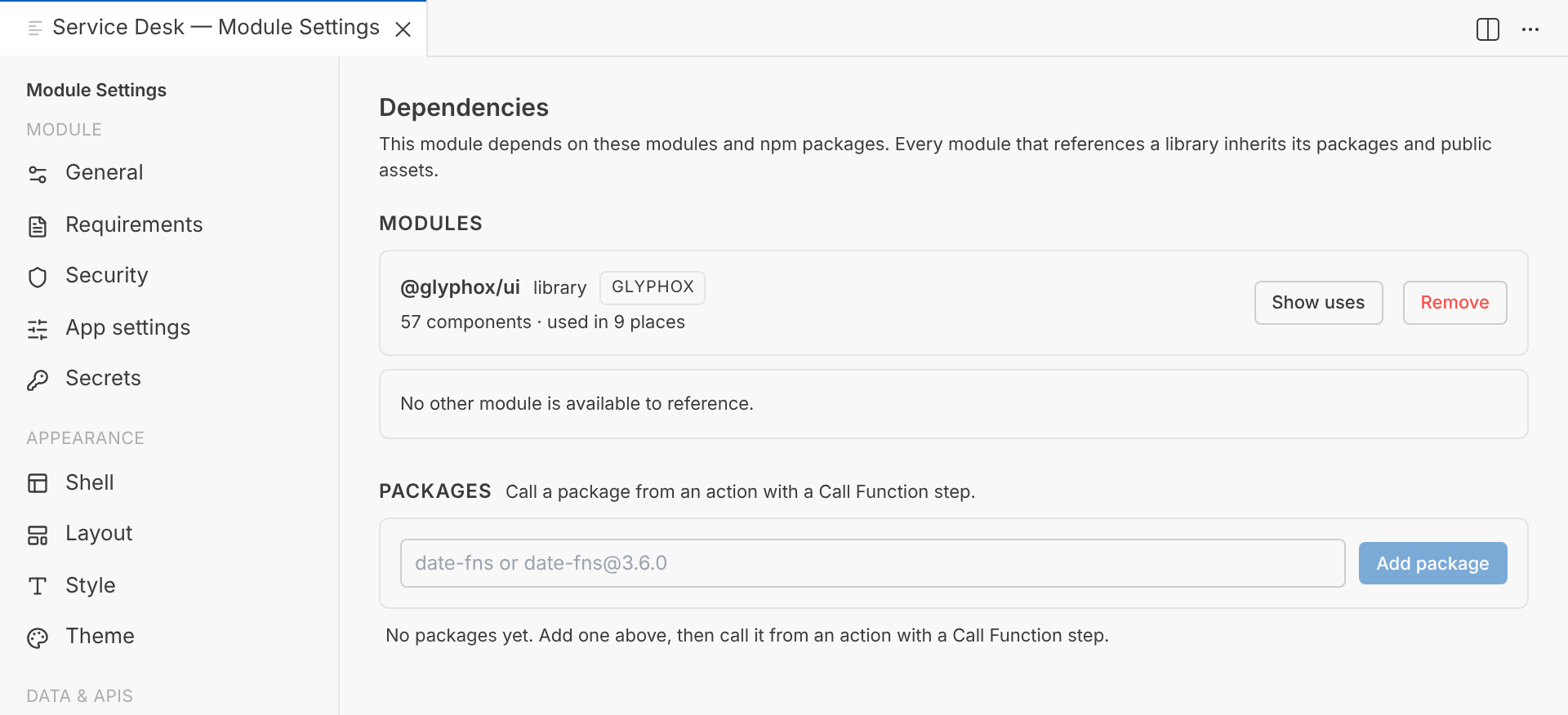
Below the references, Add a reference offers the modules this module may use. Modules it may not use are listed under Not available for this module, with the reason.
The same pane lists the npm packages the module declares, under Packages, with Add package. An action calls a package's function with a Call Function step. When a newer version of a declared package is published, its row offers Update.
Every module references @glyphox/ui, the shadcn/ui component library, unless you remove that reference.
Libraries
A library is built into the modules that reference it and is never deployed by itself. It holds components, functions (its public server actions), lookup tables and the npm packages they use, which the modules that use it inherit. A library owns no other data, and it references only other libraries.
Because a library never runs alone, its Module Settings have no Security, App settings, Secrets, Shell, Layout, Style, Theme or Database screens.
When you create a library, select what it is for.
| Library | Holds | Can be used by |
|---|---|---|
| Web UI | Components for web modules, plus functions. | Web modules, other Web UI libraries, and service, workflow and agent modules. |
| Mobile UI | React Native components for mobile modules, plus functions. | Mobile modules, other Mobile UI libraries, and service, workflow and agent modules. |
| Shared logic | Functions only. | Every module and every library. |
The Solution tree shows a library's purpose beside its name. To change it, open Module Settings → General → Target. Glyphox names what the change would break before it writes anything.
A library component does not read a module's menu, settings or actions. It receives them as an input or through a placeholder, which keeps the library usable by every module that references it. The article Layouts, themes and menus describes placeholders.
If a step fails, see Troubleshoot the first run or contact support.