A structured way to engineer applications
Glyphox connects visual application modelling, AI-assisted development, coding agents and standard source code in Visual Studio Code.
From defining application structure to implementing business logic, managing changes and preparing deployments, Glyphox provides a connected environment for the application engineering lifecycle.
1. Model your application visually
Work with the structure of your application
Applications consist of interconnected parts: pages, components, data, business rules, workflows, integrations and services.
Glyphox provides visual modelling capabilities to help you define and manage these parts as a connected application model.
Instead of treating every requirement as an isolated coding task, work with the structure and relationships of your application.
Visual modelling supports:
- Application pages and components.
- Data models and entity relationships.
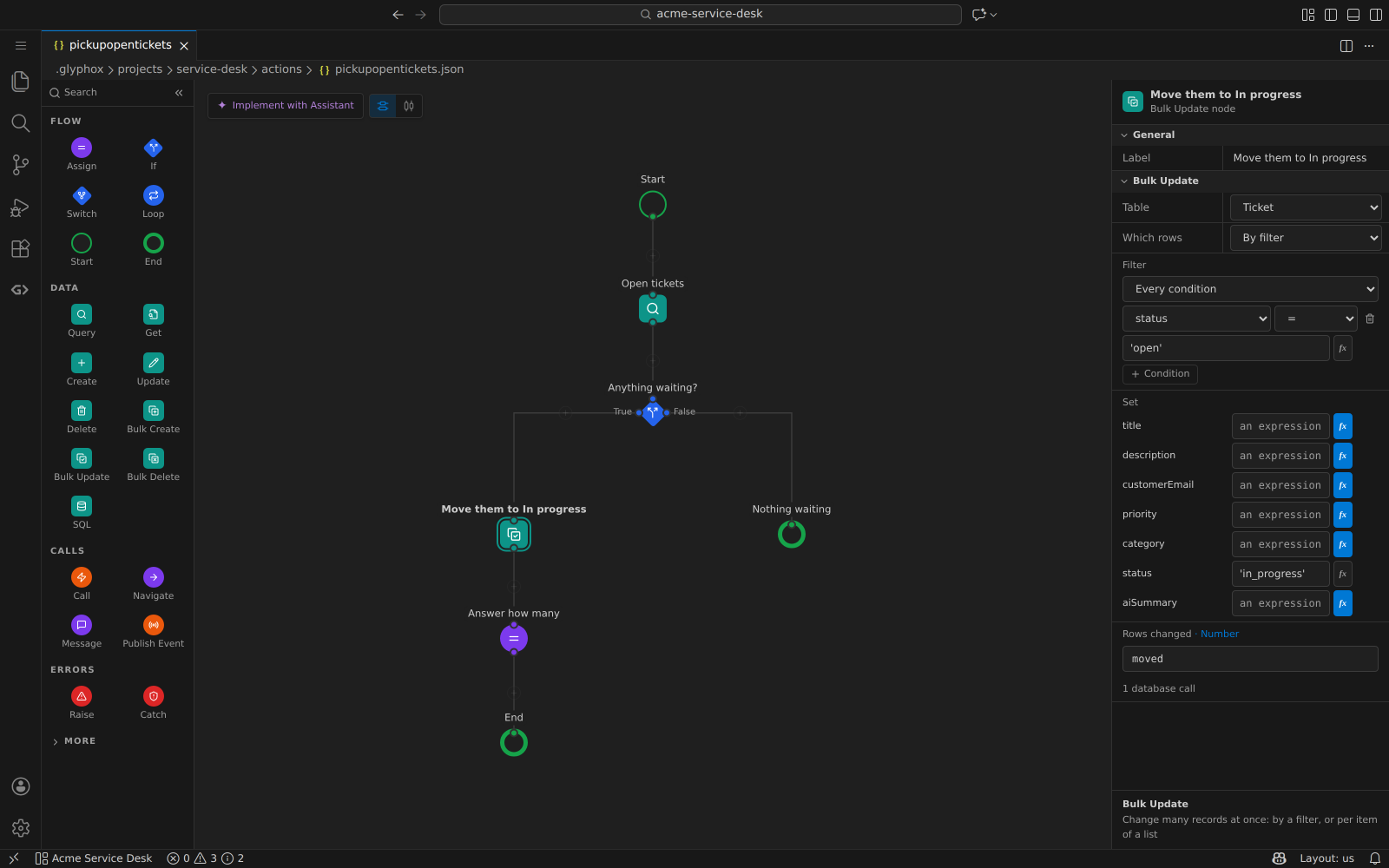
- Business logic and application flows.
- Workflows and automation.
- AI agents and integrations.
- Application services and configuration.
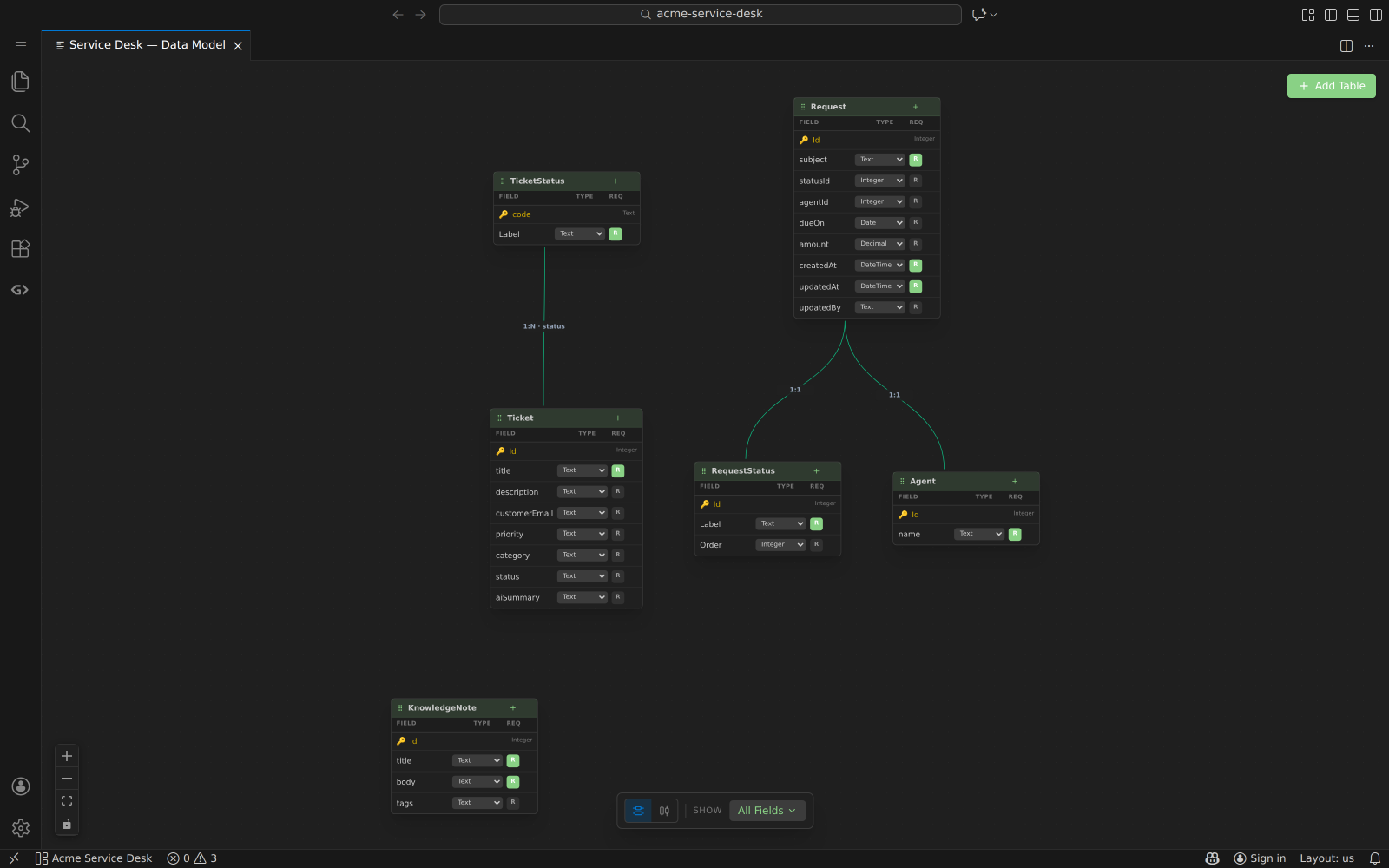
Data modelling with an entity-relationship diagram
Define tables and their relationships. List, detail and edit pages are generated from them.
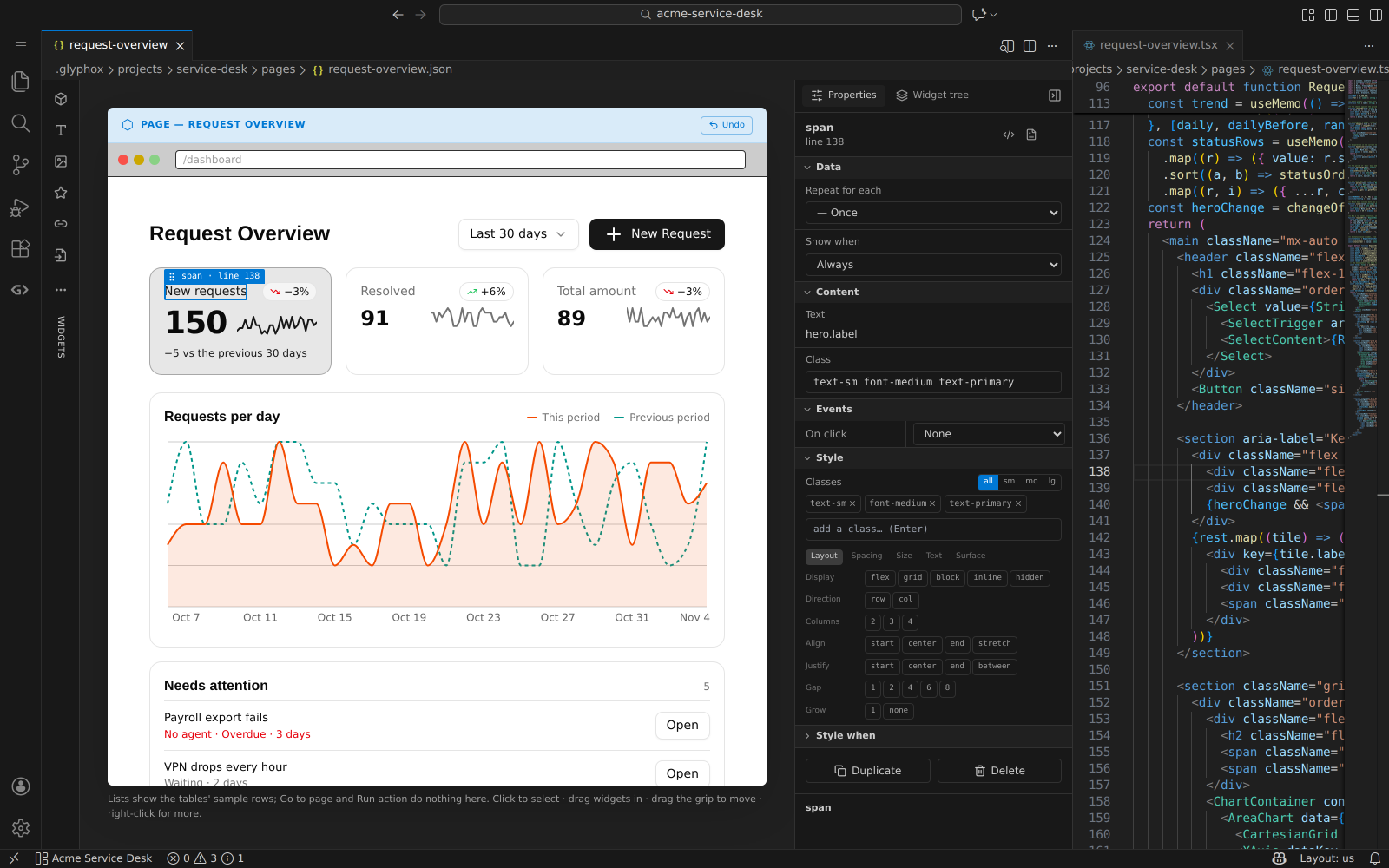
Visual page design, stored as files
Compose pages from shadcn/ui components, bind them to data, and work in React code where required.
Business logic as compiled flows
Model business logic as a flow. It is compiled to typed Node.js on the server and React on the client.
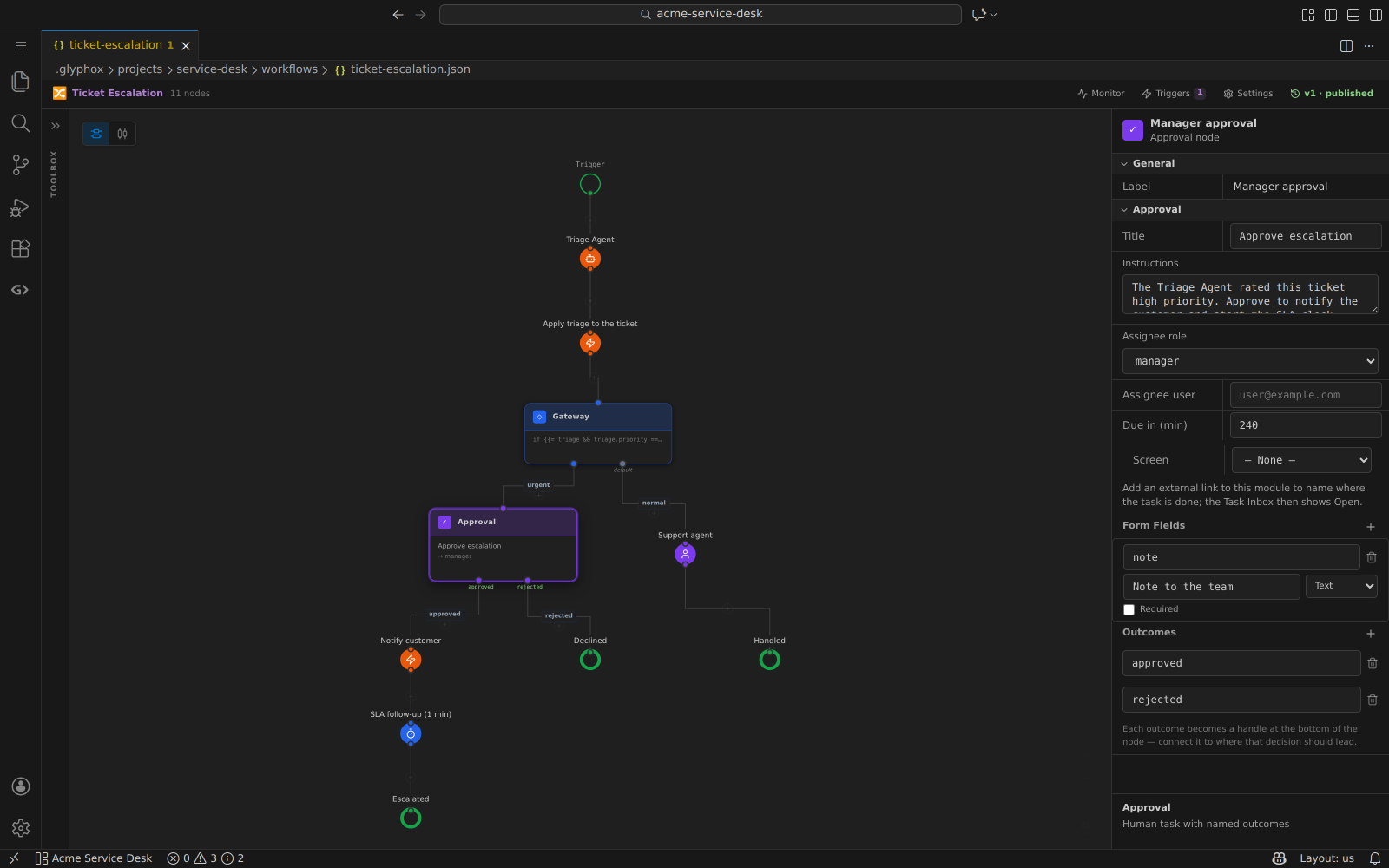
Workflows with human approval
Approvals, timers, human tasks and escalation, with live monitoring of running instances.
Integrations and published services
Import a REST endpoint from a cURL command, publish your own services, and call npm packages.
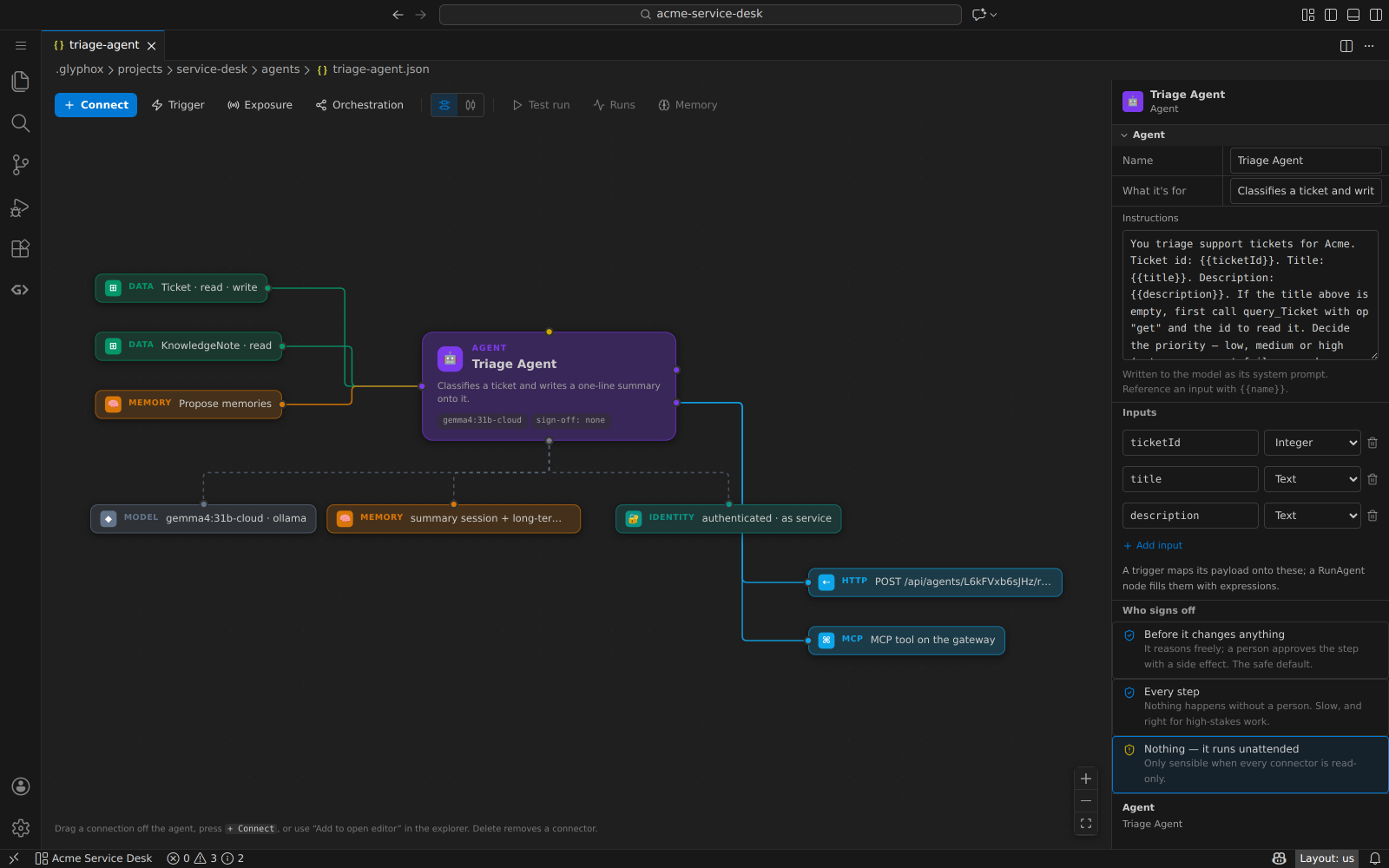
AI agents deployed with your application
Design an agent on its own canvas. It is deployed as a service alongside the rest of your solution.
2. Develop with the Glyphox Assistant
Move from requirements to implementation
Use the Glyphox Assistant to work through application development in structured stages.
Describe what you want to build and work with the Assistant as it interprets requirements, plans tasks and carries out development work.
You remain able to review the work and its decisions.
Choose how the Assistant works
- Approval-based workflow — Review stages and provide approval as the Assistant progresses.
- Auto mode — Let the Assistant approve its own stages and proceed automatically. Its decisions are recorded so the work remains traceable.
This gives you a choice between closer supervision and a more automated workflow.
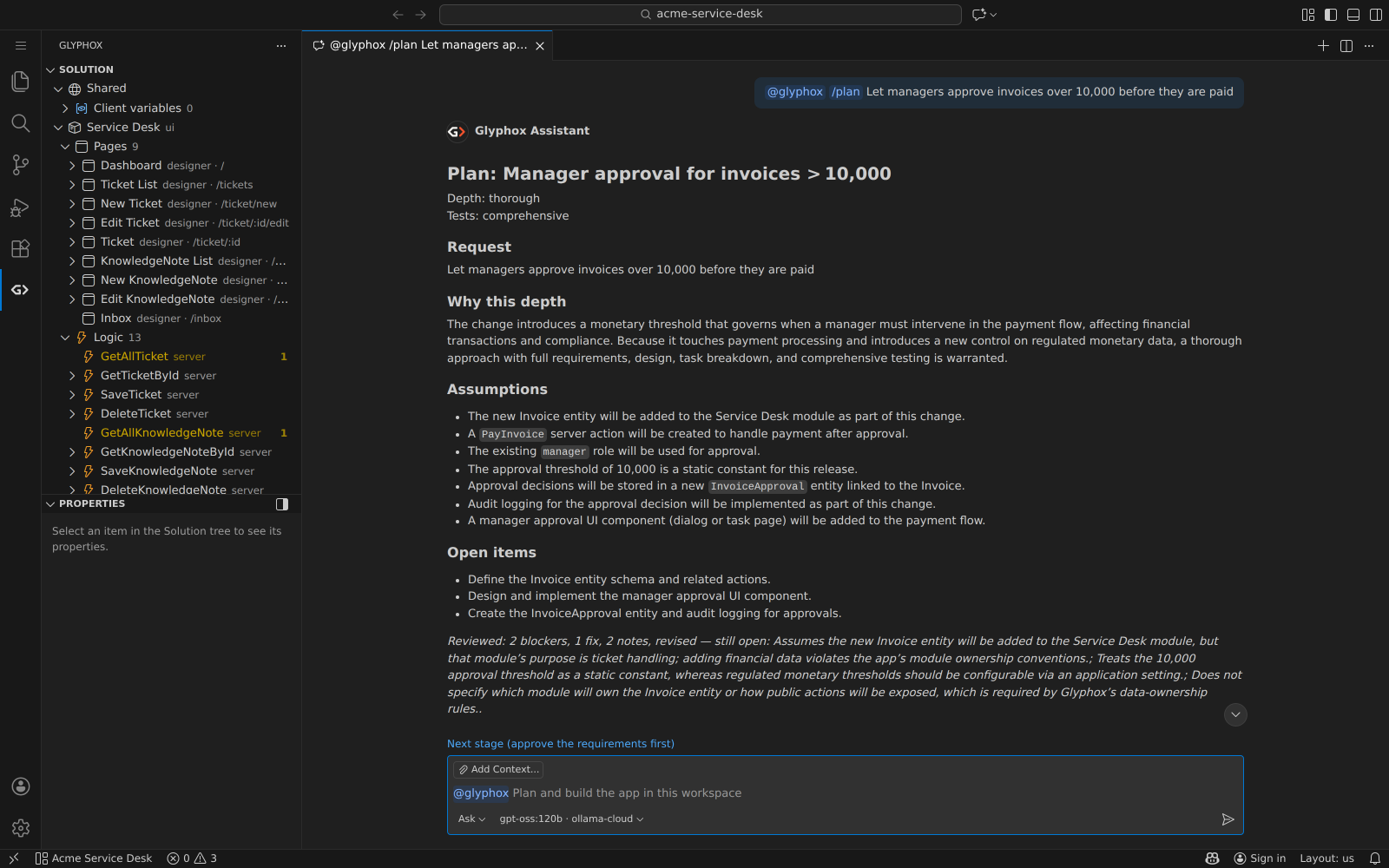
An Assistant that plans before it builds
Describe a change in the Chat view. The Assistant plans it, and builds it once the plan is approved, by you in Manual mode or by the Assistant in Auto mode.
3. Connect your AI coding agents
Work with the coding agents you choose
Glyphox provides an MCP (Model Context Protocol) server that allows MCP-compatible AI coding agents to connect directly to your application engineering environment.
You are not restricted to a fixed list of supported coding agents. Connect the agents that support MCP and bring them into your Glyphox development workflow.
Whether you use Claude Code, Codex, Cursor, GitHub Copilot, Gemini CLI or another MCP-compatible agent, you can work with your preferred AI tools while keeping your application model and development workflow connected.
One MCP integration. Your choice of coding agents.
- Claude Code
- Codex
- Cursor
- GitHub Copilot
- Gemini CLI
- Kiro
Automatic configuration
Glyphox configures the coding agents and IDEs it recognises when a workspace is opened: Claude Code, Codex, Cursor, GitHub Copilot, Gemini CLI and Kiro. Existing configuration entries are left unchanged.
Manual connection
Any other agent that supports the Model Context Protocol can connect to the Glyphox MCP server. The documentation describes how.
Use your own coding agent or IDEConsistent controls for every tool
An external coding agent uses the Assistant's tools and is subject to the same specification, approval and validation controls.
4. Manage plans and changes
Understand what is changing and why
Application development involves continuous changes across multiple parts of a system. Understanding those changes is essential for maintaining control as an application evolves.
Glyphox brings planning and change visibility into the development process.
Use the plans and change-management views to understand planned work, review progress, see outstanding actions and follow the status of changes.
Changes remain part of the repository
Every application-model change is recorded in the repository alongside your application code. Changes made through the Glyphox Assistant and connected coding agents include their requirements, design and decisions, giving your team a consistent record of development work.
Your application code and its change history remain connected.
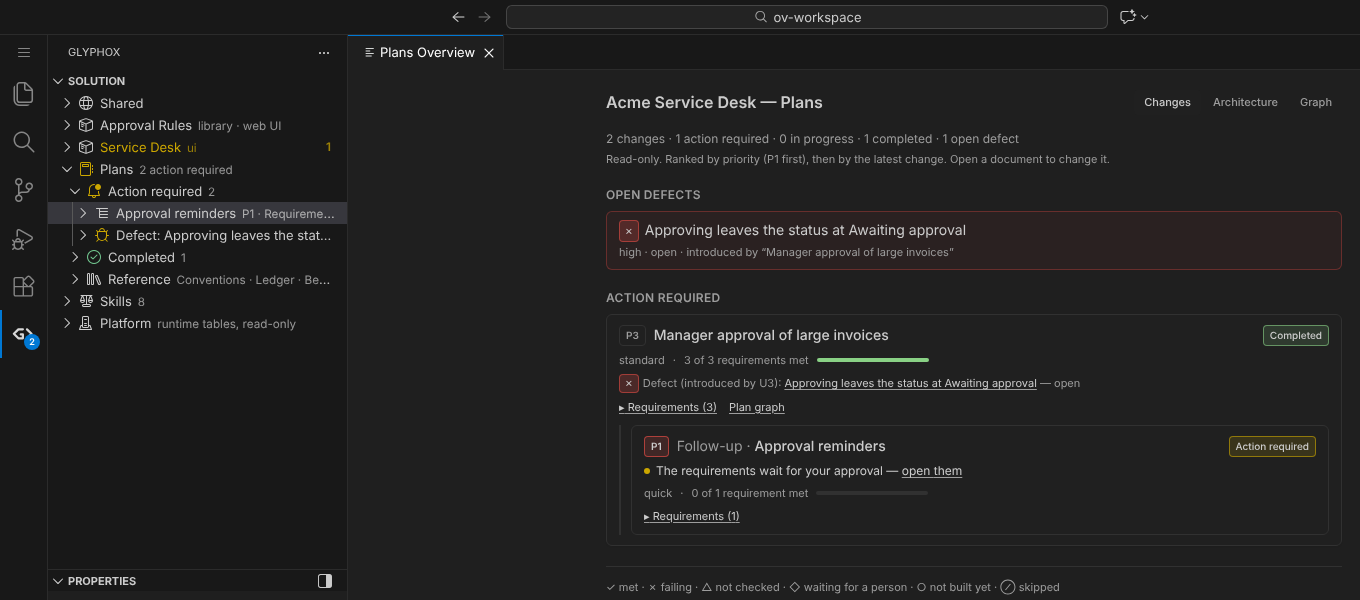
Plans in the Solution tree
Every change is grouped by its status. Selecting a change that awaits your action opens the document concerned.
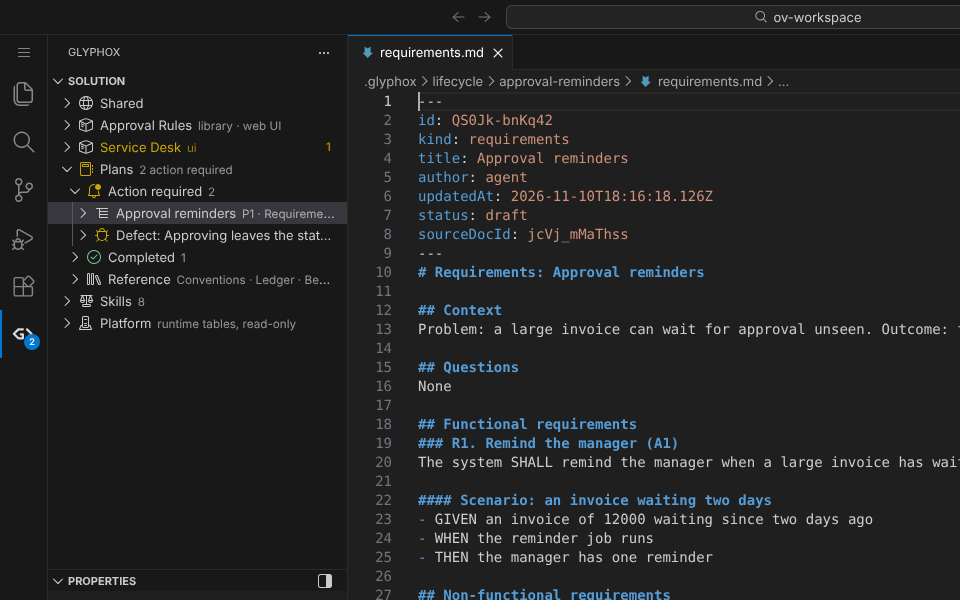
Plans Overview
A single view of every change: open defects first, then by priority, with the requirements each change has met.
5. Work with standard application source code
Your application code remains accessible
Glyphox generates application source code using established development technologies.
The generated application is not dependent on a proprietary runtime to execute.
Work directly with the source code in your development environment and maintain your application independently when required.
- React
- TypeScript
- Node.js
- Prisma
- PostgreSQL
- Docker
Understand the publishing workflow
Publishing generates the application into its designated output folder. Each subsequent Publish replaces that generated folder.
If you need to maintain manual changes to the generated source independently, take the code into a separate maintenance workflow rather than relying on those edits to survive a subsequent Publish.
6. Build applications with a connected architecture
Organise application capabilities
As applications grow, their structure and responsibilities need to remain understandable.
Glyphox supports application modelling across different layers, helping you organise data, business logic, workflows, services and other application capabilities.
This provides a foundation for developing modular applications and organising functionality into services where appropriate.
7. Manage application operations and access
Consider more than application development
Building an application is only part of the engineering lifecycle. Applications also need identity, access management, administration and operational visibility.
Glyphox includes capabilities for application administration and management, including:
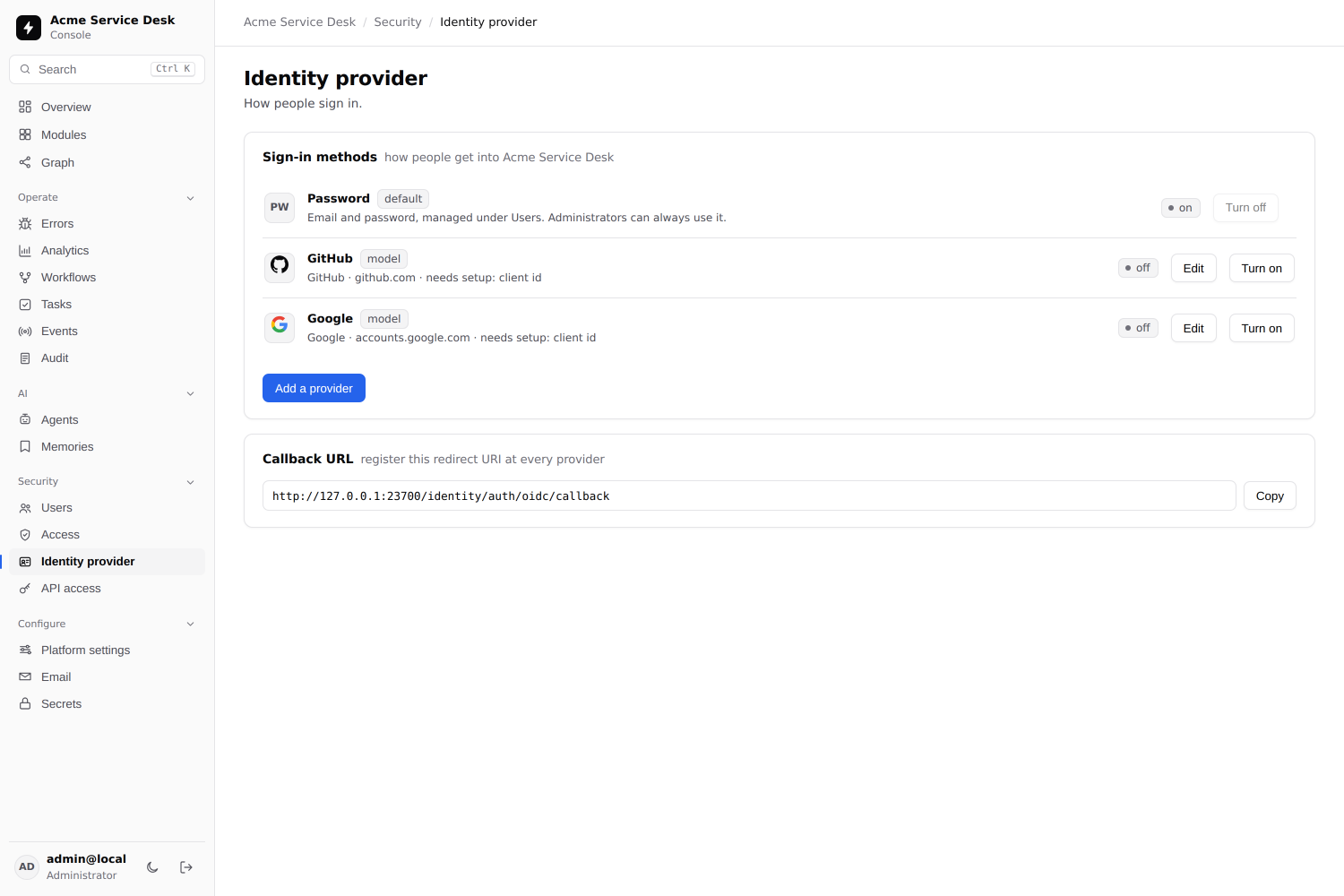
- Identity and authentication configuration.
- Roles and access control.
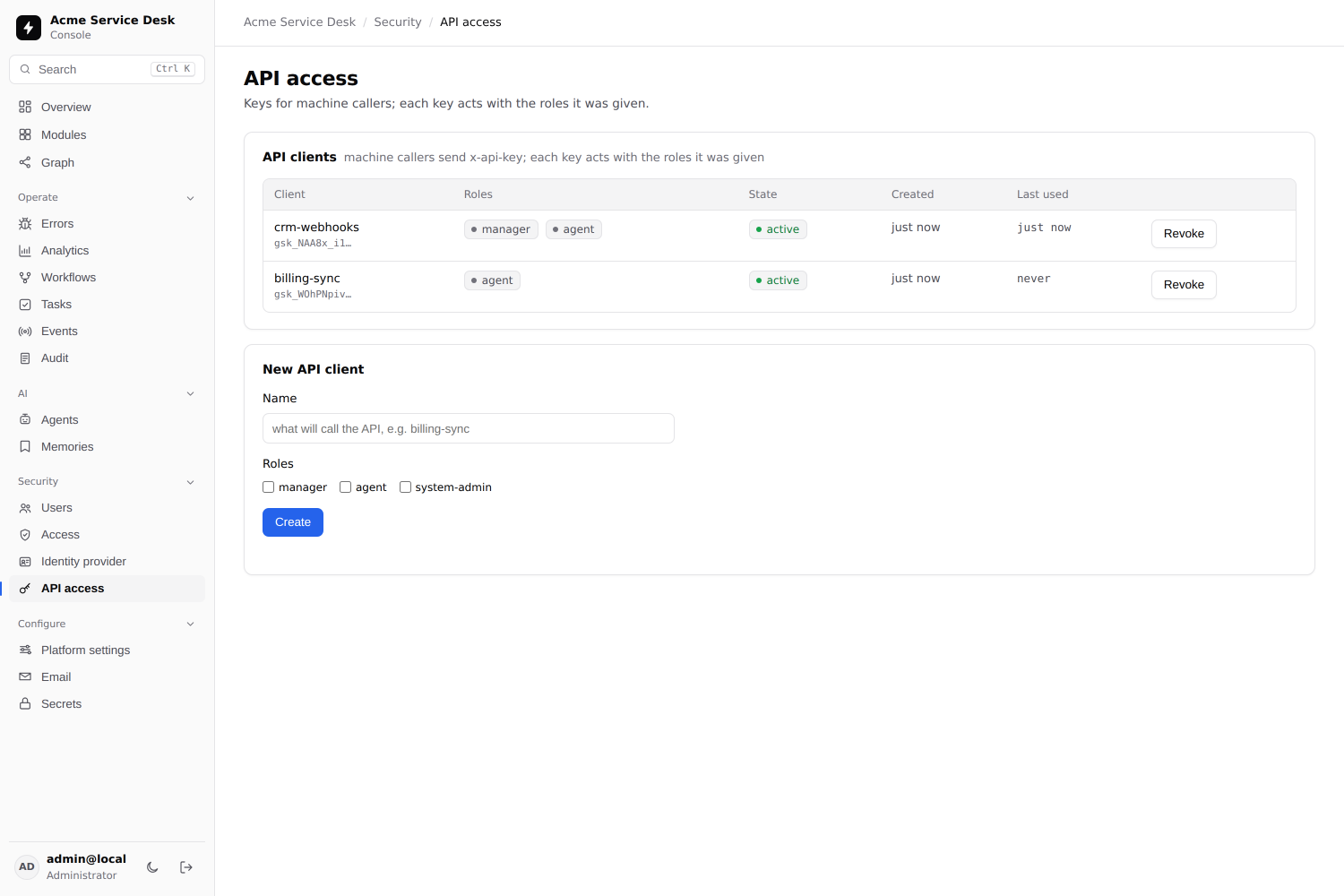
- Service tokens and application access.
- Administrative capabilities through the application Console.
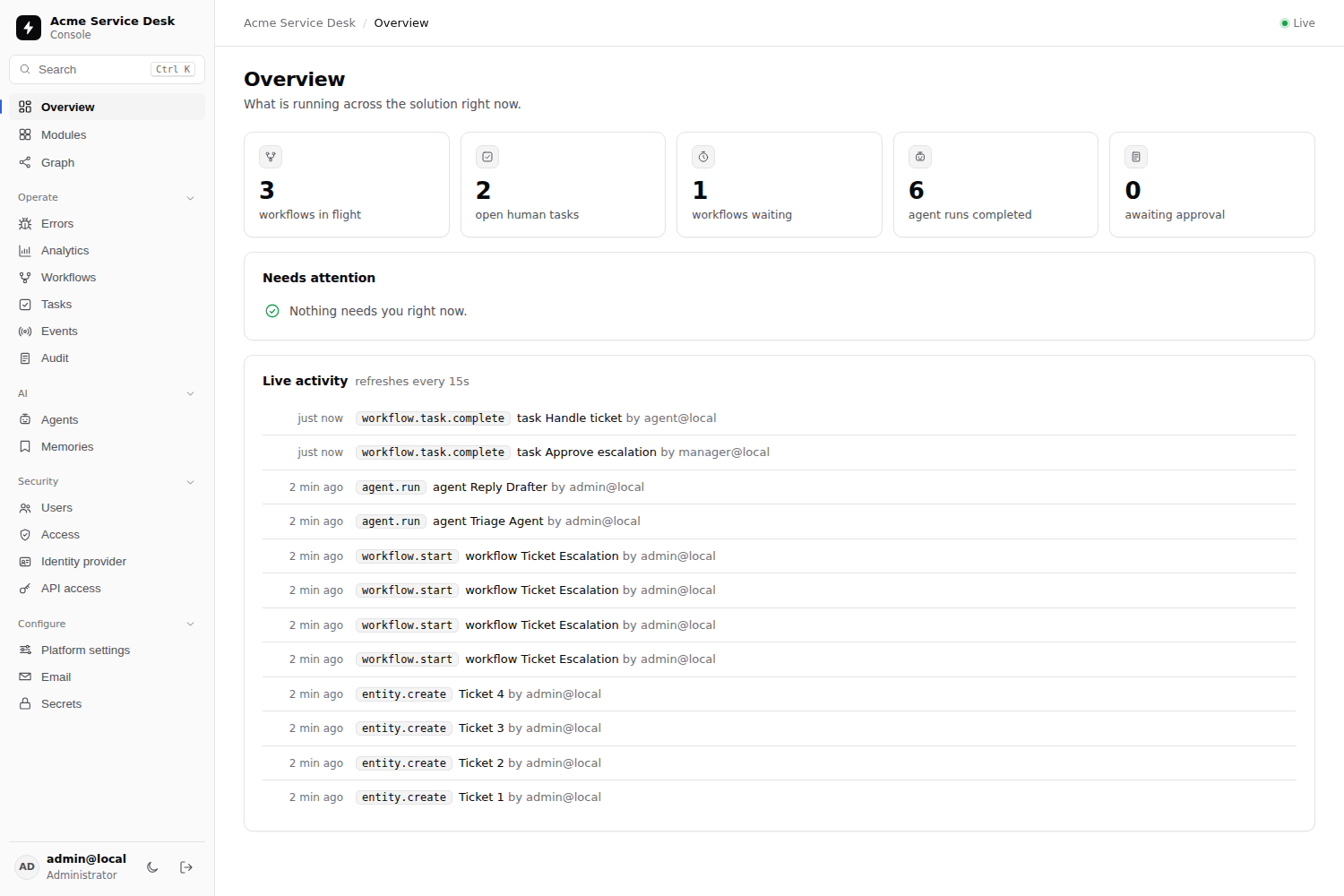
- Monitoring of workflows and agent runs in the Console.
These capabilities help address the operational requirements that come with building and maintaining applications.
Authentication, roles and access control
Users sign in through your OpenID Connect provider. Roles are defined in the model, and role membership is managed in the Console.
An administration Console in every application
An administration portal for users, roles, workflow instances, agent runs and the audit trail.
8. Run, preview and deliver your application
Validate your work as you develop
Development should be an iterative process. Build, run and inspect your application as it takes shape.
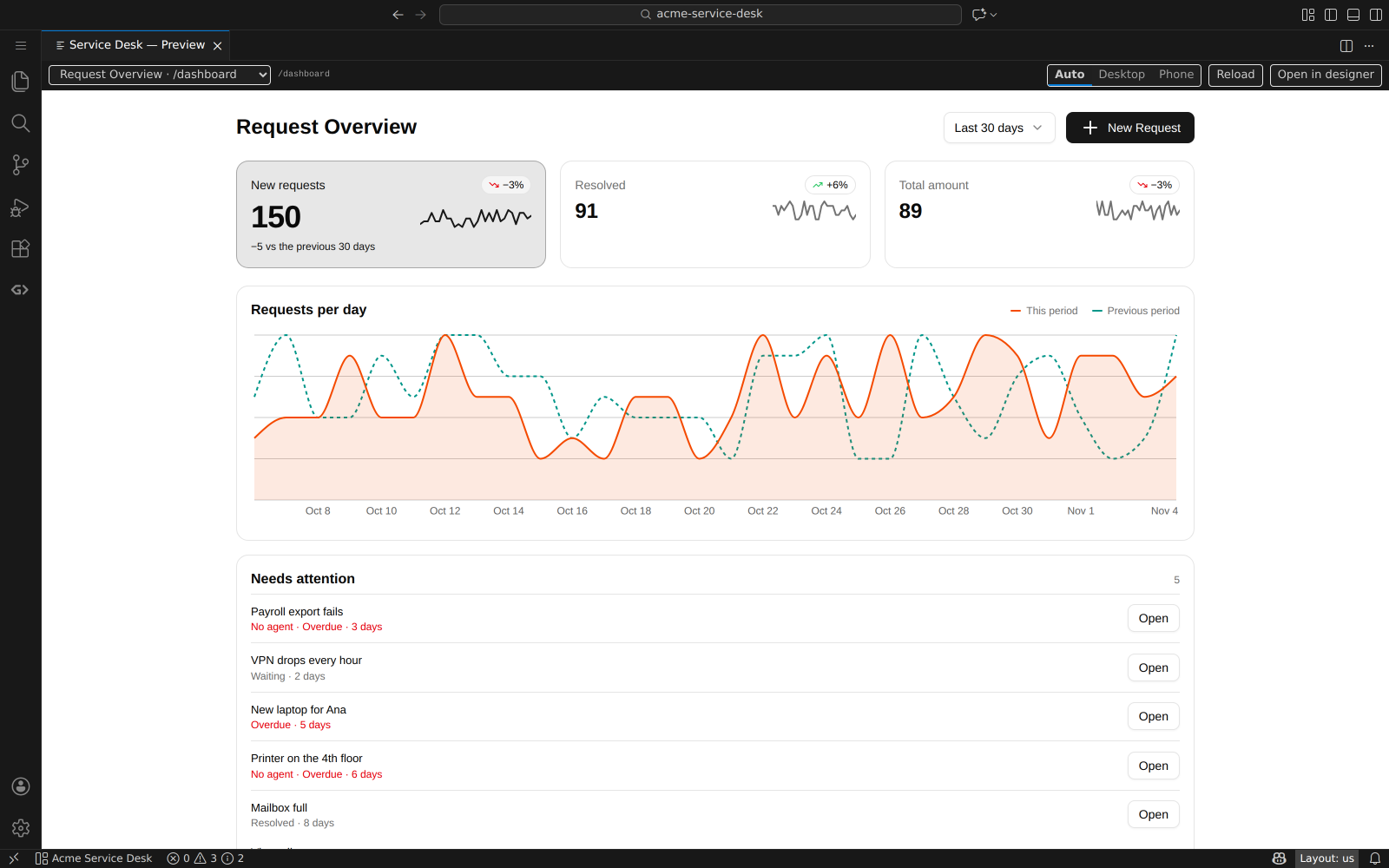
Glyphox supports application preview and local execution so you can validate the result during development and debug issues in your workflow.
Publish and deploy
Generate your application source code through the Publish workflow.
Use Docker to deploy on your own infrastructure, retaining control over the environment in which your application runs.
Preview, run and debug
A live preview alongside the designer, and Run, which starts the complete solution on your machine.
Export and Publish
Standard project folders, written to a location you choose, or to your repository and staged for commit.
Available wherever VS Code runs
Built for VS Code 1.104 or later, on the desktop or in the browser.
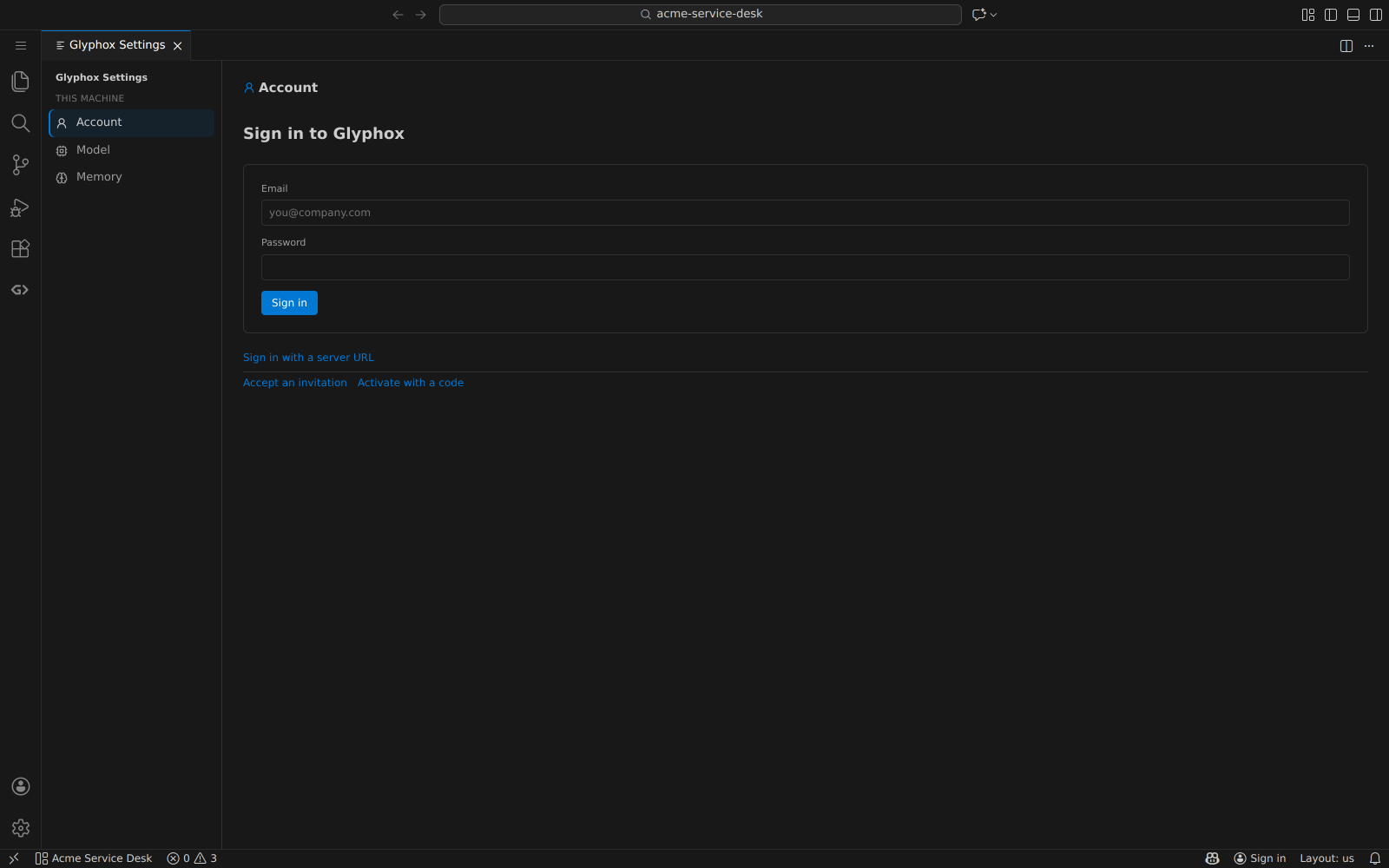
9. Work in Visual Studio Code
Application engineering in your development environment
Glyphox brings its application modelling and development capabilities into Visual Studio Code.
You can work with visual application models, the Glyphox Assistant, supported coding agents and generated source code without treating them as disconnected development activities.
The result is an engineering workflow that connects application design, implementation and code.
Frequently asked questions
Is Glyphox a low-code platform?
Glyphox provides visual application modelling, but it is not limited to a proprietary visual runtime. It generates standard application source code that developers can access and maintain.
Do I own the generated source code?
Yes. Glyphox generates standard application source code. You can access it and maintain it independently of Glyphox.
Which AI coding agents can I connect to Glyphox?
Glyphox provides an MCP server, allowing any MCP-compatible coding agent to connect. You can use agents such as Claude Code, Codex, Cursor, GitHub Copilot and Gemini CLI, as well as other compatible agents.
Can I review the work performed by the Glyphox Assistant?
Yes. You can work through approval-based stages or use Auto mode, in which the Assistant approves its own stages and records its decisions.
Does publishing preserve manual edits to the generated folder?
No. Each Publish replaces the designated generated folder. If you need to preserve and maintain manual source-code changes, maintain that code independently outside the publishing workflow.
Can I deploy applications on my own infrastructure?
Yes. Glyphox supports Docker-based deployment on your own infrastructure.
Start building with Glyphox
Bring visual application modelling, AI-assisted development and standard source code together in Visual Studio Code.