Documentation / Reference
Action nodes
Every node in the action editor's toolbox and what it does.
Applies to Glyphox 1.0.10
An action is a graph of nodes that starts at Start and finishes at End. Drag a node from the toolbox onto the canvas and connect it. Each line ends in an arrowhead at its target and leaves a node on the side that faces where it goes. A node has one line out for each of its branches. The article Logic flows and actions, in this section, describes the canvas's right-click menu and how to select several nodes.
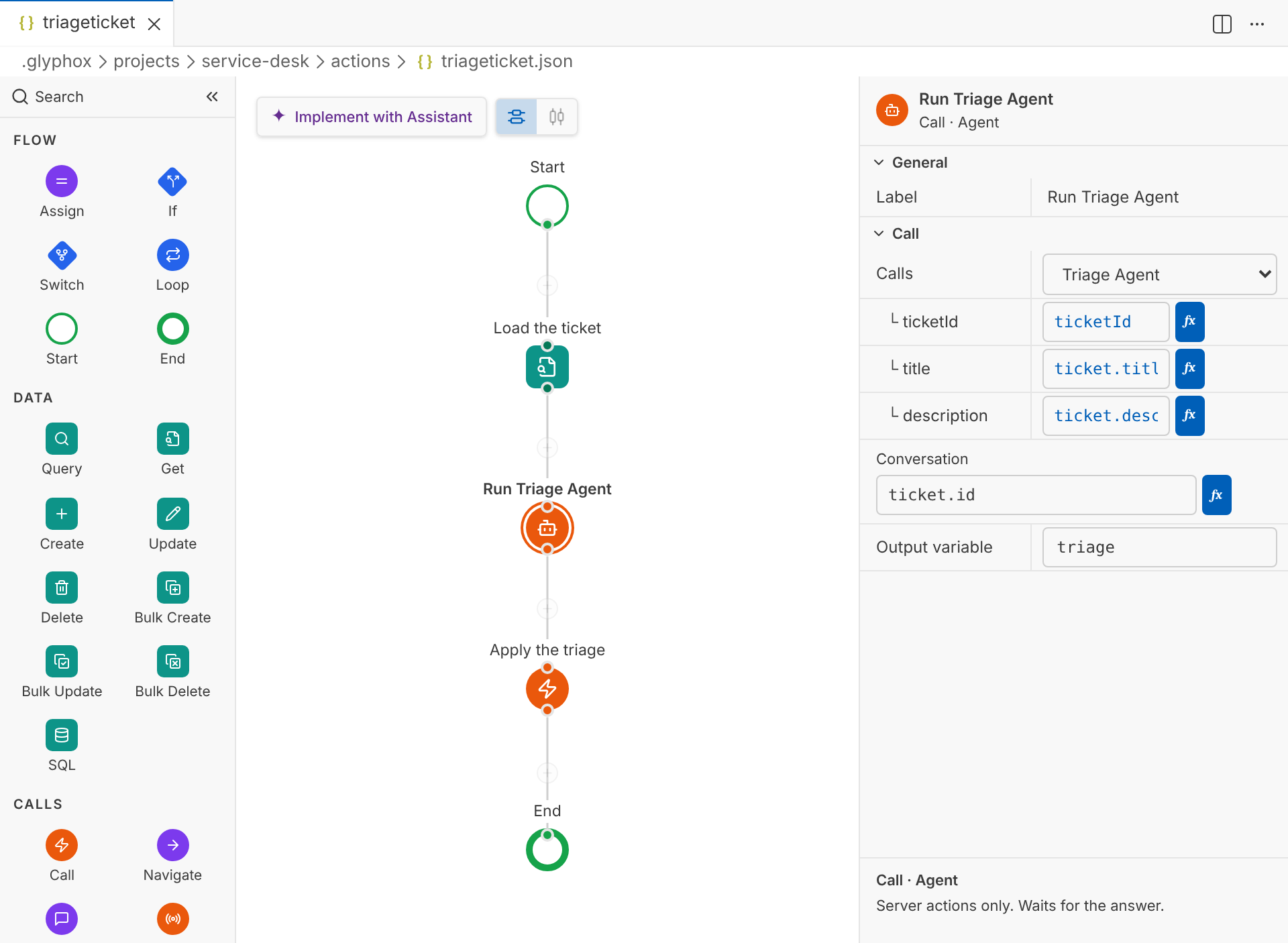
Flow
| Node | What it does |
|---|---|
| Assign | Sets variable values. For a variable whose type is a structure, Set a structure lists its fields. |
| If | Branches on a condition. |
| Switch | Takes one of several branches by a value. |
| Loop | Iterates over a list. |
Data
| Node | What it does |
|---|---|
| Query | Queries records: list, filter and join. |
| Get Record | Gets one record by ID. |
| Create Record | Creates a record. |
| Update Record | Changes a record by ID. |
| Delete Record | Deletes a record by ID. |
| Bulk Create | Creates a record for each item of a list, in one statement. Server actions only. |
| Bulk Update | Changes many records at once, by a filter or for each item of a list. Server actions only. |
| Bulk Delete | Deletes many records at once, by a filter or by a list of keys. Server actions only. |
| SQL | Runs a stored procedure or a raw query. |
Calls
| Node | What it does |
|---|---|
| Call | Calls an action, an agent, a package function or a URL. |
| Navigate | Goes to a page. |
| Message | Displays a message. |
| Publish Event | Publishes a declared event, or an event by key. |
| Trigger Event | Raises one of a component's events to whatever placed it. Component actions only. |
Errors
| Node | What it does |
|---|---|
| Raise Error | Throws an exception of the type you select: UserException, SystemException, SecurityException or a custom name. |
| Catch Error | Handles exceptions of one type, or of every type. |
More
| Node | What it does |
|---|---|
| To Excel, From Excel | Write rows to an .xlsx file, or read rows from one. Server actions only. |
| To PDF | Writes a PDF report. Server actions only. |
| Send Email | Sends an email. Server actions only. |
| Save File, Read File, Delete File | Store, read or delete a file. Server actions only. |
| Complete Task | Completes a workflow task with an outcome. Server actions only. |
| Comment | Adds a note to the action. |
Scope and debugging
Each node declares its inputs and its output variable, so the editor knows what is in scope later in the action and reports any problem before you run it.
A breakpoint on a node pauses a live request in the VS Code debugger, with the call stack and the variables available for inspection.
Related articles
Logic flows and actions, in this section, explains where actions run and how they are called. Workflow nodes lists the nodes of the workflow editor.
If a step fails, see Troubleshoot the first run or contact support.